How Publishers Can Keep Phishing Ads Away from Their Audience

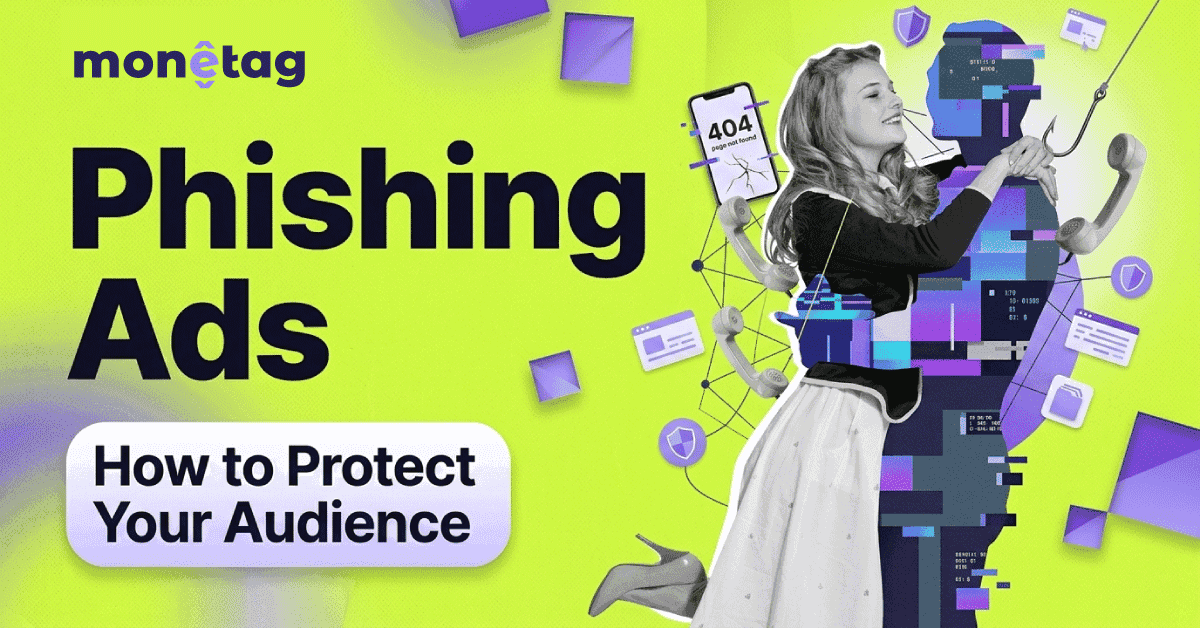
A reader taps an ad that appears to be a promo from their bank. The landing page has the right logo, the right colors, and a login form. The web address is one letter off from the real one. Nothing downloads, and nothing crashes. They type their password, and somewhere a stranger now has it.
The reader often finds out weeks later, when a charge appears, or an account locks them out. Who ran the ad was never visible to them in the first place. What they remember is the site where they saw it.
A scene like this needs one condition to play out: an ad feed where campaigns go live without a landing-page check and run without anyone looking at them again. That is the environment phishing crews search for, and it is why the protection question starts one level up from your site: with how strictly the network behind your ad feed reviews what it serves.
How Phishing Ads Work
Phishing is impersonation with a form attached. The attacker copies a brand your reader trusts (a bank, a delivery service, a webmail provider, or an online store) and builds a lookalike page whose sole purpose is to collect login credentials, card numbers, or other personal data.
Advertising is one of the channels used to put that page in front of people. The Anti-Phishing Working Group recorded around 3.8 million phishing attacks in 2025, a slight increase over 2024, so the pressure across channels, including ads, remains steady.
A phishing campaign that runs through ads usually has four parts:
- The creative is the visible ad, and it tends to look legitimate
- Brand logo
- Believable discount
- Routine “verify your account” message
The landing page is where the theft happens. And between them often sits cloaking: a technique in which the advertiser shows a harmless destination URL during review, then swaps it out for a phishing page for real users, sometimes only in specific countries or devices.
If your ads come through Monetag, this exact trick is what our in-house anti-cloaking tool exists for: it watches every campaign’s destination URL for as long as the campaign runs, and a landing page that changes after approval is the event it is built to flag.
The scale of the fight upstream is public. Google reported blocking or removing over 8.3 billion ads in 2025, including 602 million ads tied to scams, and suspending 24.9 million advertiser accounts. One documented campaign from January 2025 shows how brazen the technique can get: criminals bought search ads impersonating Google Ads itself, routing advertisers who clicked them to fake login pages that harvested their accounts. If a phishing crew is comfortable impersonating an ad platform on that platform’s own search results, no brand is off the table.
The same fight runs inside other brands: PropellerAds, the advertiser-side platform, restricted 35% more campaigns during moderation in 2025 than a year earlier, and cloaking stood behind more than 80% of its confirmed account suspensions (1,311 of 1,676), per its Ads Safety Report 2025 and the Q1 2026 update. In other words, the violations that survive early review and reach a security team are overwhelmingly the engineered, URL-swapping kind described above.
For a publisher, the practical reading is this. The ads you happen to see on your own pages tell you almost nothing, because the creative is usually the clean part of a phishing campaign. All the real checking happens at the network level, and it has to be continuous: when one lookalike domain gets taken down, the campaign re-launches on a new one, so the work that counts is watching the destination URL for as long as a campaign runs.

Why Publishers End Up in the Story
Readers rarely separate the ad slot from the rest of your page. To them, everything on your site is your site. A reader who got burned after clicking something on your page files the experience under your domain name, and they make decisions accordingly: they stop clicking, then they stop coming.
There is also a machine-side version of the same judgment. Google Safe Browsing flags sites that distribute deceptive content, and browsers display full-page warnings for flagged domains.
Phishing flags usually land on the attacker’s destination domain rather than on the publisher who unknowingly displayed the ad. But Google also runs an Abusive Experiences program that evaluates the experiences a site exposes its visitors to, and repeated deceptive ad behavior on a site is exactly the kind of pattern it exists to catch. A publisher who ignores complaints long enough is taking chances with both lists.
Then there is the slow version, which has no warning screen at all. Readers who had a bad experience return less often. Recommendations dry up. The audience curve flattens in a way that is hard to attribute to any specific factor.
We covered that decay pattern in detail in our article on what malicious ads cost publishers, and phishing feeds the same curve.
How Monetag Keeps Phishing Ads Out of Its Feed
When you monetize with Monetag, you take a tag from the dashboard and install it on your site, and the ads that fill it come from advertisers the network has checked. Every advertiser and every campaign goes through moderation before anything reaches a publisher’s page, and the checks do not stop at launch.
The policy team described the process on the Monetag blog: campaigns stay monitored through their whole lifetime, which is what lets the team quickly remove ads tied to phishing, adult content, or GEO-restricted products.
The reject list is defined upfront. Ads with sexual content, malware, fake warnings like “your device is infected”, misleading claims, fake tech support numbers, or brand logos used without the brand’s permission do not enter the feed at all. For phishing specifically, the logo rule does a lot of quiet work: impersonating a bank starts with using its logo, and the logo alone is grounds for rejection.
Cloaking gets its own tooling, the anti-cloaking system mentioned earlier. It monitors every campaign’s destination URL in real time, and a URL that changes mid-run gets the campaign stopped. Ekaterina, the Head of Business Security at Monetag, put it this way in the same post:
Our anti-cloaking tools are not just a technology but a reliable barrier that cuts off various threats, ensuring your confidence in the security of your online business. […] Round-the-clock monitoring of advertising campaigns is our duty and your protection.
Advertisers who keep breaking the rules get banned. The ones who try to sneak back under a new account run into multi-account detection, which leads straight to another ban.
Warning Signs You Can Check Yourself
You will probably never see the phishing page itself, and finding phishing directly in the Monetag feed is practically impossible (we really take care of our feed!).
Phishing campaigns in poorly moderated ad networks are often targeted by GEO and device, so the version of the ad feed you see in your own browser is rarely the same version a visitor in another country or on another device will see. What you can do is monitor indirect signals and react to them quickly.
Warning Signs You Can Check Yourself
What you notice, what it can mean, and what to do about it.
What you notice
A visitor says a page “asked for card details” or “looked like my bank” after clicking on an ad
What it can mean
A phishing landing page behind an ad, likely GEO-targeted
What to do
Collect the details and report them to your network
What you notice
An ad creative shows a well-known brand, but the display URL is a near-miss spelling of the real domain
What it can mean
Brand impersonation in the creative itself
What to do
Screenshot it with the URL visible and report it
What you notice
Complaints cluster in one GEO while everything looks fine from where you sit
What it can mean
A targeted campaign you cannot reproduce locally
What to do
Pass the GEO, device, and timing to the network so they can trace the campaign
What you notice
Your domain shows a warning in the Safe Browsing site status checker or a Security Issues notice in Search Console
What it can mean
A flag that needs fixing regardless of its source
What to do
Resolve the issue, then request a review through Search Console
A monthly habit of checking your domain in the Safe Browsing status tool and glancing at Search Console’s Security Issues tab costs a few minutes. A few more free tools cover the rest of the publisher side.
- VirusTotal checks a domain or URL against dozens of security vendors’ blocklists at once, and it works in both directions. Paste your own domain to see whether anyone flags it, or paste a landing page address a visitor sent you to get a verdict without opening the page yourself.
- urlscan.io goes a step further with reported URLs: it loads the page in an isolated environment and returns a screenshot plus the full redirect chain. You see exactly where a suspicious click ends up while your own device never touches the page. One caveat: scans are public by default, so do not submit URLs that contain private tokens or session links.
- Sucuri SiteCheck scans your own site remotely for injected code and blocklist entries. It answers a different question: whether the problem a visitor described comes from your site being compromised rather than from an ad. If you run WordPress, a file-integrity plugin such as Wordfence covers the same ground continuously and alerts you when site files change without your involvement.
- Google Alerts on your domain name, combined with words like “scam” or “phishing,” is the cheapest reputation monitor available. Complaints often surface on Reddit or in niche forums before anyone emails you, and an alert brings them to your inbox the day they appear.
What to Do When a Visitor Reports a Suspicious Activity
A visitor report about phishing is rare and valuable. One reader who bothers to write usually stands in for many who did not, so the report deserves the same attention you would give a payment issue.
The reply matters as much as the fix. Thank them, take the claim at face value, and ask for specifics while the memory is fresh: when it happened, on which page, what country and device they were on, what the ad looked like, and the address of the page it led to if they still have it. A screenshot of either the ad or the landing page is worth more than a paragraph of description.
Then send the whole package to your network. The trace works best when your report includes the GEO and the timestamp, because that is what lets the policy team find a targeted campaign you cannot see from your own location. While you wait, check your domain in the Safe Browsing status tool and Search Console so a flag does not catch you by surprise.
Close the loop with the visitor when the campaign is resolved. A reader who reported a problem and got a real answer tends to trust the site more afterward, and that trust is hard to win any other way. It costs one email.
Frequently Asked Questions
Can a phishing ad infect my visitors’ devices?
Phishing on its own does not install anything. It persuades the visitor to hand over credentials or payment data on a fake page. That distinction matters for your response: there is no infection to clean up, but a visitor who entered a password needs to change it immediately and watch the affected account.
Will Google flag my site if a phishing ad runs on it?
Usually, the flag lands on the attacker’s destination domain. A publisher who unknowingly displayed the ad is rarely listed. Your own domain is at risk mainly when deceptive experiences recur on your pages over time, which is the pattern Google’s Abusive Experiences program looks for. Checking Search Console regularly means you find out about any issues from Google directly rather than from a traffic collapse.
How can I verify whether an ad on my site is phishing?
Often, you cannot do it alone, because campaigns are targeted by GEO and device and may never display in your own browser. The realistic move is to collect precise details from the visitor who saw it and let your network’s policy team trace the campaign from their side, where the full targeting picture exists.
What exactly should I include when reporting a suspicious ad?
Time of the sighting, the page it appeared on, the visitor’s country and device, a screenshot of the ad or the landing page, and the landing page address if available. GEO plus timestamp is the minimum that makes a targeted campaign traceable.
Key Takeaways for Publishers
Phishing ads are the quietest threat in the bad-ad family: clean, creative, off-site harm, and victims who rarely report. By the time the problem is visible in your numbers, it has been running for a while.
Two decisions do the protective work. Choose a network that reviews campaigns before and during their run and monitors landing pages for the campaign’s full lifetime. Then build the small routine on your side: a monthly Safe Browsing and Search Console check, and a fixed response path for visitor reports.
Treat every visitor report as a gift. Collect GEO, device, time, and a screenshot, send the package to the network, and close the loop with the reader. Handled well, one report can stop a campaign that would otherwise keep reaching the rest of your audience.